Visual JSON Data Transformation Made Simple
Design complex JSON mappings visually, preview results in real-time, and deploy as serverless APIs. No more hand-writing tedious transformation scripts.
TRUSTED BY DATA ENGINEERS WORLDWIDE


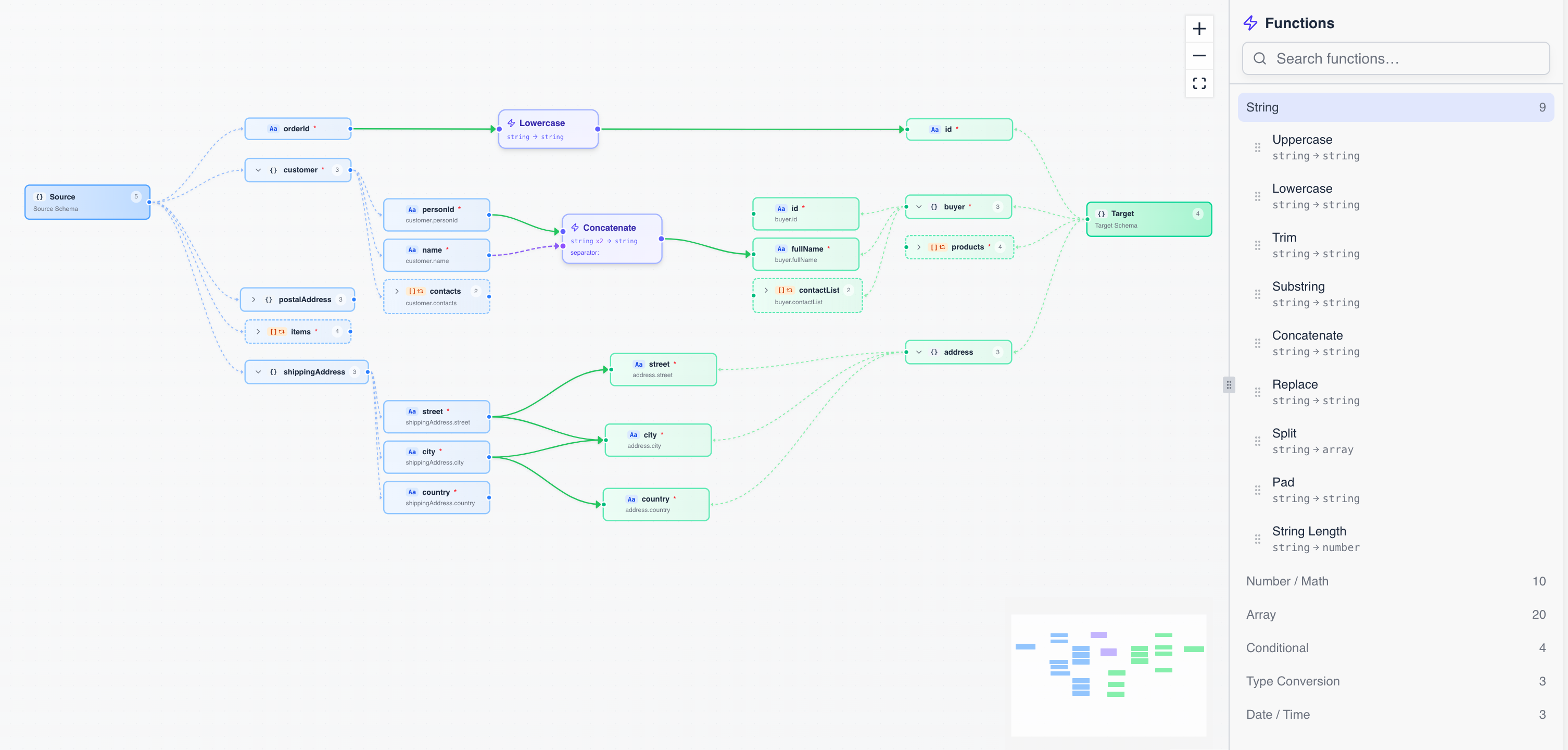
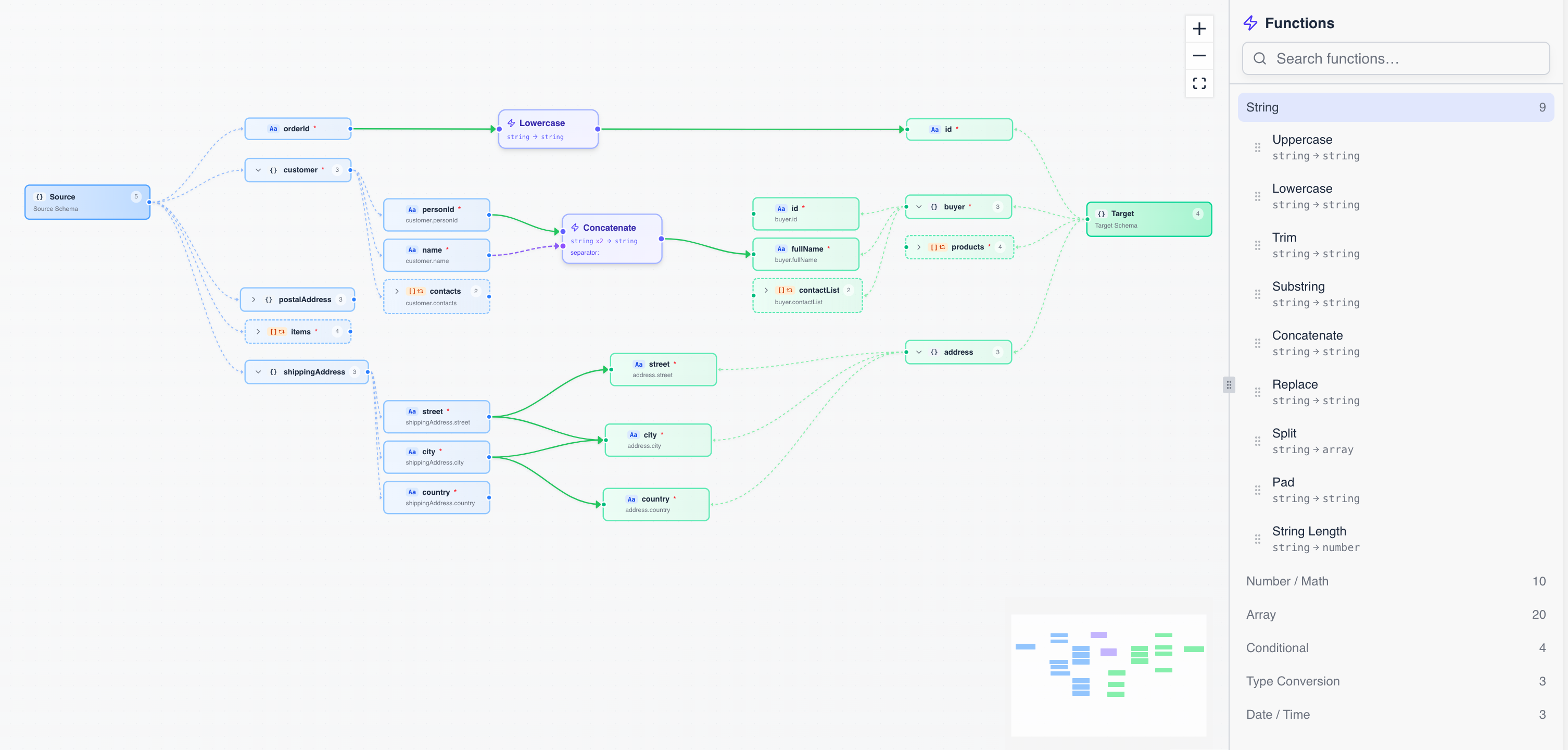
Design complex JSON mappings visually, preview results in real-time, and deploy as serverless APIs. No more hand-writing tedious transformation scripts.
A visual IDE that turns complex data mappings into simple drag-and-drop workflows.
See source and target schemas side by side as interactive trees. Connect fields with a drag, insert functions in-line, and preview transformed output instantly — all in the browser.
Try the Mapper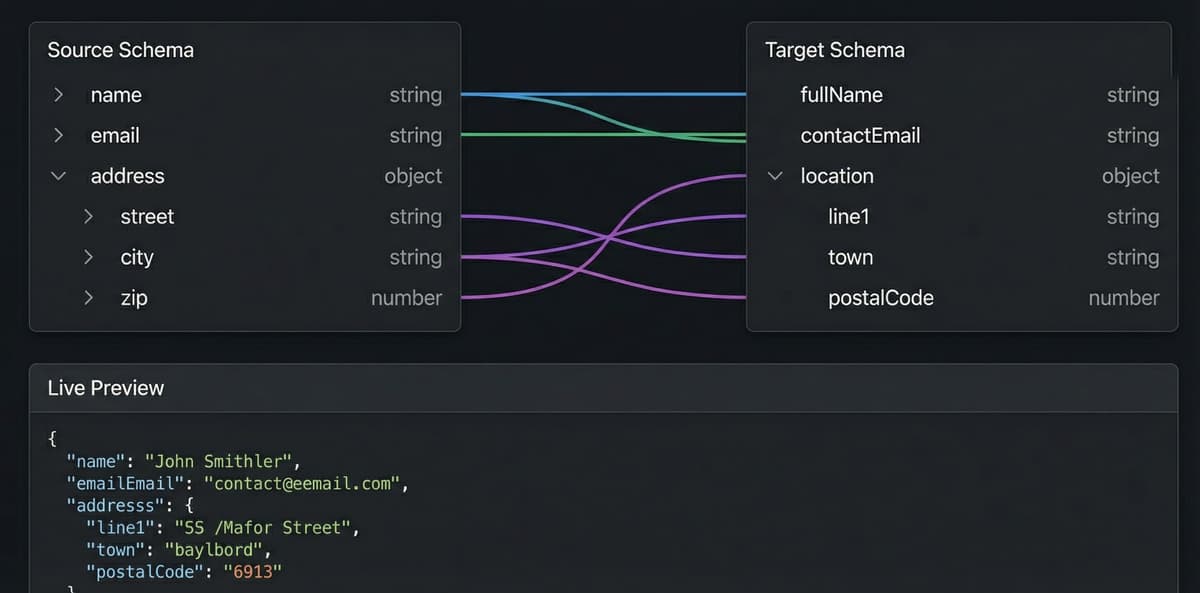
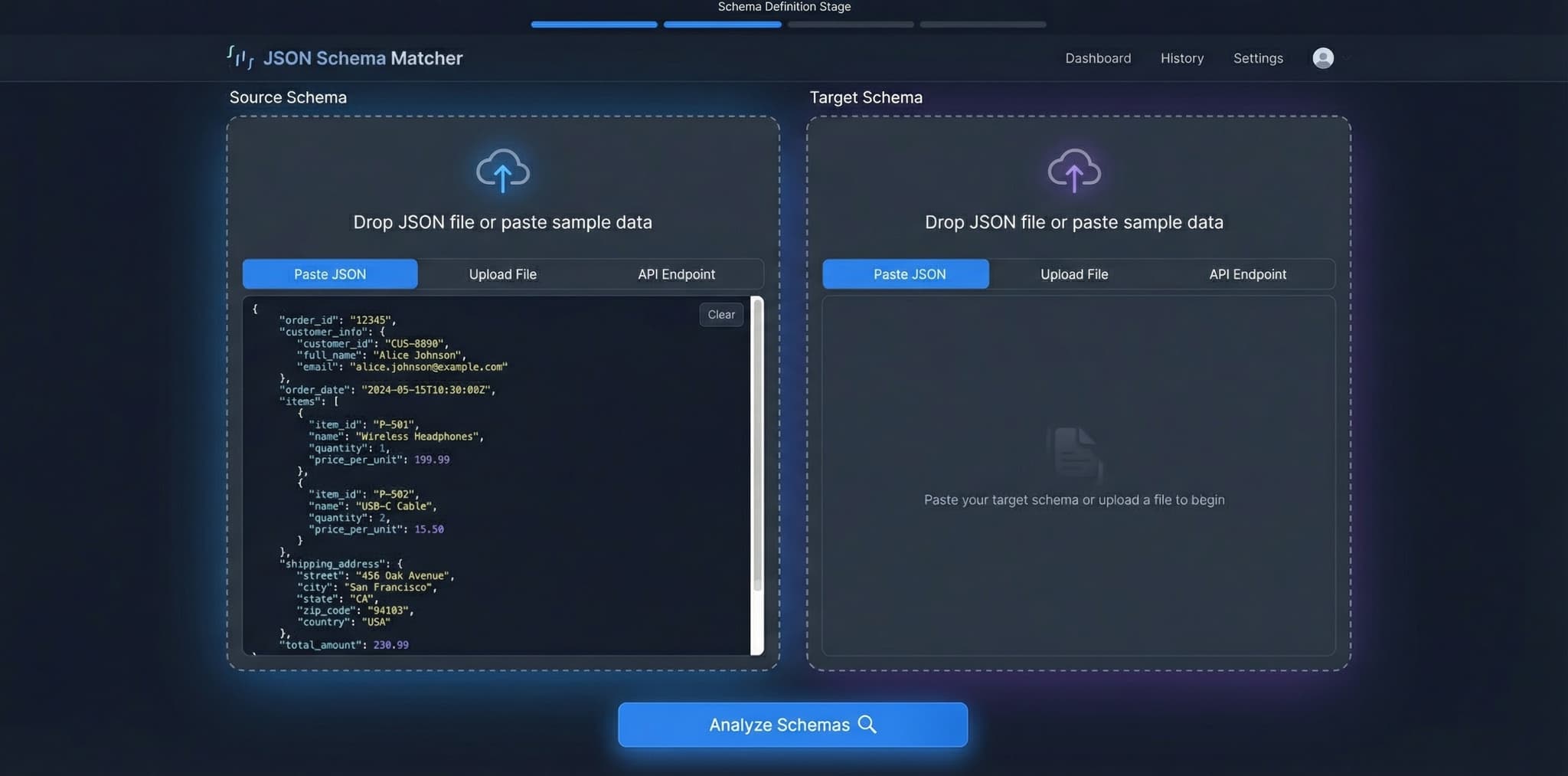
Import your source and target JSON schemas — paste JSON samples, upload files, or connect to an API endpoint.
Drag fields from source to target, insert transformation functions, and watch results update in real time.
Save your mapping and get a serverless API endpoint. Call it from anywhere with a single POST request.
Choose the best plan for your needs
See how engineers and architects are transforming their data pipelines with Insta Transformer
@emmaeng
The visual mapper cut our integration time from weeks to hours. Dragging fields and seeing results instantly is a game-changer for our ETL workflows.
@davidarch
We replaced 2,000 lines of custom mapping code with visual transformations. The JSONata output is clean, portable, and runs identically in the browser and on our backend.
@sofiadev
The AI auto-mapping feature understood our legacy field names on the first try — fname to FirstName, addr to Address. Saved us days of manual work.
@emmaeng
The visual mapper cut our integration time from weeks to hours. Dragging fields and seeing results instantly is a game-changer for our ETL workflows.
@davidarch
We replaced 2,000 lines of custom mapping code with visual transformations. The JSONata output is clean, portable, and runs identically in the browser and on our backend.
@sofiadev
The AI auto-mapping feature understood our legacy field names on the first try — fname to FirstName, addr to Address. Saved us days of manual work.
@emmaeng
The visual mapper cut our integration time from weeks to hours. Dragging fields and seeing results instantly is a game-changer for our ETL workflows.
@davidarch
We replaced 2,000 lines of custom mapping code with visual transformations. The JSONata output is clean, portable, and runs identically in the browser and on our backend.
@sofiadev
The AI auto-mapping feature understood our legacy field names on the first try — fname to FirstName, addr to Address. Saved us days of manual work.
@emmaeng
The visual mapper cut our integration time from weeks to hours. Dragging fields and seeing results instantly is a game-changer for our ETL workflows.
@davidarch
We replaced 2,000 lines of custom mapping code with visual transformations. The JSONata output is clean, portable, and runs identically in the browser and on our backend.
@sofiadev
The AI auto-mapping feature understood our legacy field names on the first try — fname to FirstName, addr to Address. Saved us days of manual work.
Everything you need to know about Insta Transformer. Can't find the answer you're looking for? Reach out to our support team.
Can't find the answer you're looking for? Our engineering team is here to help with any technical questions or integration concerns.